Send form submissions to your own endpoint
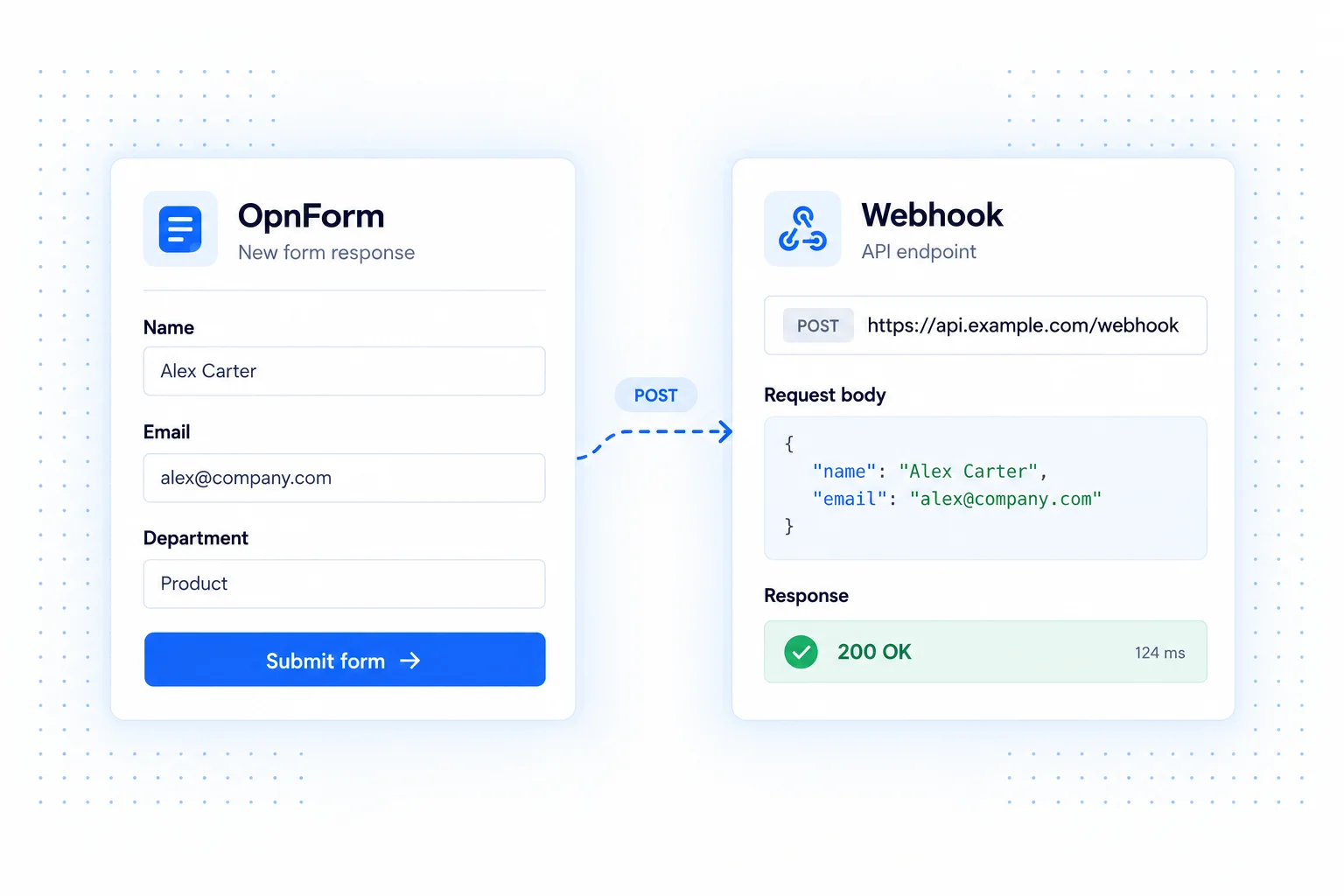
Webhooks connect OpnForm to systems that can accept an HTTP request. When a response is submitted, OpnForm posts submission data to the URL you configure. Your receiving service decides how to validate the payload and what action to take.
Use this connection when you maintain an internal application, need a custom API workflow, or want to connect a service through its webhook trigger. OpnForm also exposes settings for a signing secret and custom headers.
Webhook integration use cases
Feed an internal intake system
Collect service requests in a public form and let your backend create an internal record. Your endpoint can look up the responsible team, apply your business rules, and attach the submission to an existing case.
Start an automation workflow
Point the webhook at an automation platform's receiving URL. Use its workflow to transform responses and send selected fields to a CRM, spreadsheet, or support tool.
Connect a custom application
Use a registration or request form as the input to software you already run. Your application can validate the incoming data and decide whether to create a new record or update an existing one.
Set up a webhook
- Prepare a reachable endpoint that accepts POST requests and handles the OpnForm payload.
- Add Webhook Notification in your form's Integrations tab and enter its URL.
- Configure a signing secret or custom headers when your receiving service requires them.
- Submit sample data and inspect the request at the receiver before using it for live workflows.
Design a reliable receiver
Validate the request before processing it, keep credentials out of public pages, and make record creation safe if a request is received more than once. Inspect an actual sample payload instead of assuming field names or structure. Monitor both sides of the connection so a successful form submission is not mistaken for completed downstream processing.
Common questions
Will a webhook work with every API?
The receiving endpoint must accept the request and understand its payload. Some APIs need an adapter or automation step to transform the data into their expected format.
Is this a two-way sync?
The integration sends submission data outward. It does not automatically synchronize changes from your application back into OpnForm.