Receive submission alerts in Telegram
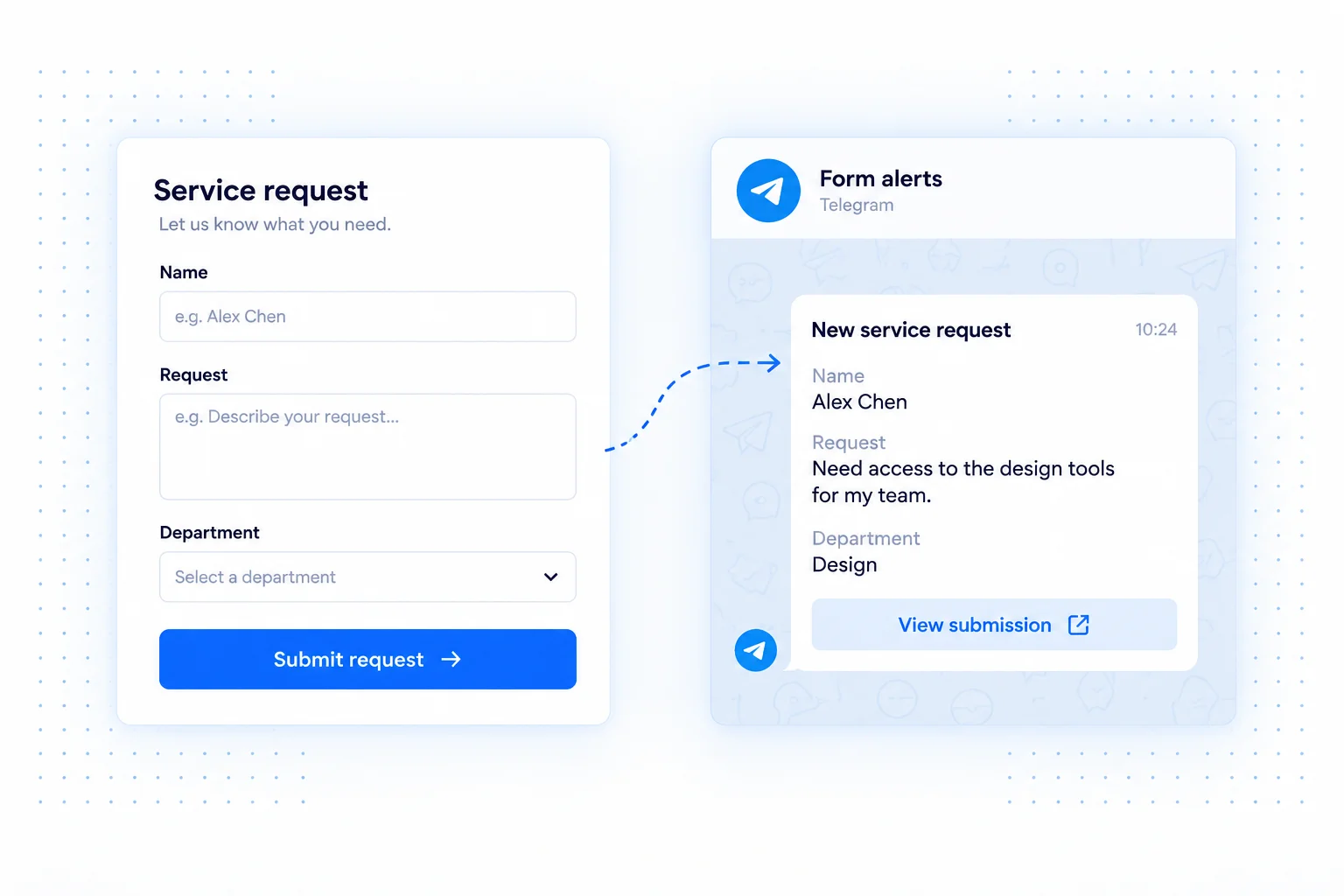
Connect a Telegram account to OpnForm and receive messages when your form gets a new response. Keep important requests visible in a chat tool you already check, especially when your work takes you away from a desktop inbox.
Use notification content that summarizes the request and helps you decide whether to respond now or review the complete submission later. The integration delivers an alert; it does not replace your customer communication or request tracking process.
Telegram integration use cases
Stay aware of service inquiries
Get a concise alert when a potential customer requests a quote or describes a problem. Include the request type and preferred contact details so you can plan follow-up between appointments.
Monitor event registrations
Keep an organizer informed when new registrations arrive. Use the form to collect structured details, and Telegram to flag new activity without repeatedly checking the submissions dashboard.
Watch an internal request form
Receive notifications for equipment needs, maintenance reports, or scheduling requests. The message gives the responsible person a prompt to review the request in context.
Set up Telegram notifications
- Open your form's Integrations tab and add Telegram Notification.
- Use Connect Telegram account, or select a Telegram account already available in your connections.
- Configure the available notification message options and save the integration.
- Submit a sample response and check that the connected Telegram destination receives the alert.
Send the context you need
Keep notifications short enough to scan on mobile. Avoid copying sensitive free-text responses into a chat unless that destination is appropriate for the information. Make sure someone owns the next step after receiving the alert.
Common questions
Can I change the connected account?
Use your connection settings to connect another Telegram account, then select it in the form's integration settings.
Can Telegram also create a CRM record?
The native integration sends submission messages. For additional actions in other apps, use an automation platform such as Activepieces.